
Switching is the easy part
Bring your whole shop over.
Photos included.
Paste your store address. We read your catalog, show you every listing, and rebuild the ones you pick — title, price, description and photo. Most stores are done before the kettle boils.
- 0%
- platform fee, forever
- 250
- listings per import pass
- 7
- platforms, plus any CSV

Pick where you're coming from

Where you're coming from
Three platforms publish their catalog openly, so those need nothing from you but the address. The rest guard it — but every one of them lets you export, and we read the file.
Paste the address
Anything else on the web
Hand-built sites, agency builds, Stripe-checkout shops. We read the page's search-engine data — and if there is none, its own code.
Drop the CSV
Unknown export? Still fine. We match the columns by name and fall back to matching by meaning, so a file we've never seen still lands in the right fields.
Three steps, one screen
01
Paste your store address
yourshop.com, yourshop.myshopify.com, or the CSV your old platform exports. No password, no app to install, nothing to connect.
02
Check what we found
Every listing shows up with its photo, title and price — editable right there. Untick what you don't want. Anything already on your store is flagged and skipped.
03
Import
Photos are copied into your own storage, so your new store keeps working the day you close the old one. Then set a delivery fee and you're selling.
Selling something you post
A checkout that gets the address right
A mistyped province is a parcel that comes back. So the country is a list, not a text box — and once it's picked, the field below becomes that country's own list: states for the US, provinces for Canada, prefectures for Japan, 81 iller for Türkiye. Postcodes are checked against the shape that country actually uses.
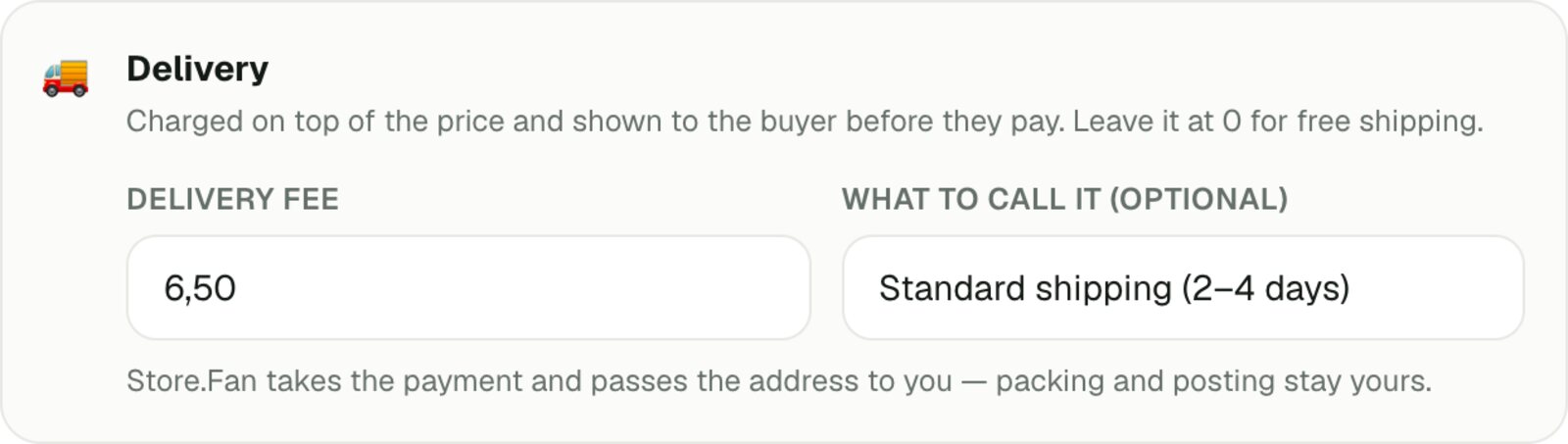
- Set a delivery fee per productIt appears as its own line at checkout — item, delivery, total — so nobody is surprised at the last step.
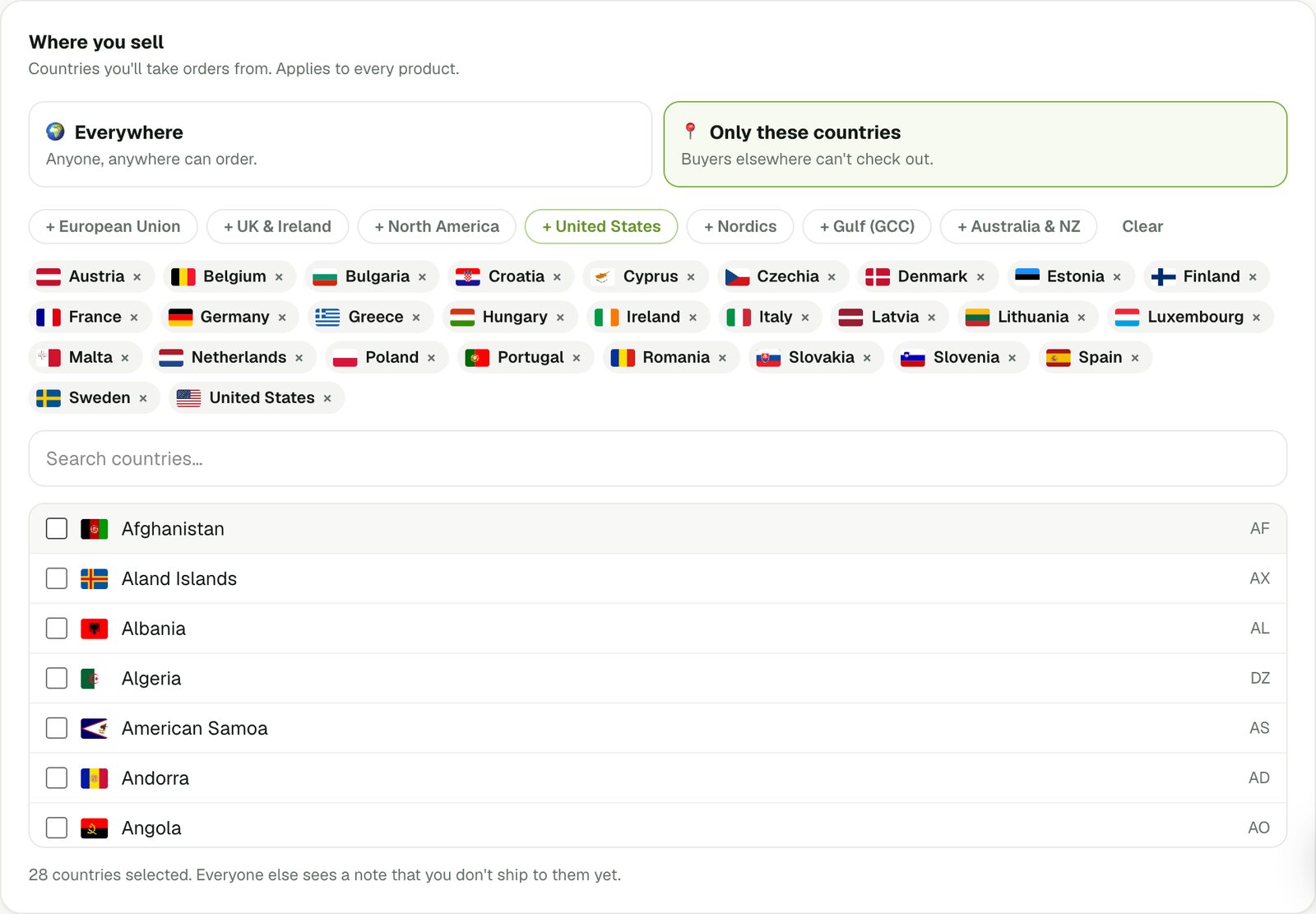
- Choose where you sellPick the countries you'll post to. Everyone else is told plainly, before they get attached.
- The address lands ready to useOn the order page with a copy button, so it goes straight onto a label.
What we don't do — and won't pretend to — is print carrier labels or track parcels. You pack and post; we take the payment, collect a correct address and stay out of the way.
At checkout

Item$25.00
Standard shipping (2–4 days)$6.50
Total$31.50
Before you switch
Do my product photos come with me?
Yes — and they're copied into your own storage, not hotlinked from the old shop. Close that store whenever you like; your Store.Fan page won't notice.
What if my site isn't one of the big platforms?
Paste it anyway. We read the listing data a page publishes for search engines, and when there isn't any, we dig the catalog out of the page's own code — which covers hand-built sites and Stripe-checkout shops.
Will it create duplicates if I run it twice?
No. Anything already on your store comes back marked “Already on your store” and unticked, so a second pass only brings the new things.
Can I import a physical catalog?
That's the default. Physical listings arrive set up to collect a full shipping address at checkout, with a delivery fee you set per product. You pack and post; we take the money and hand you the address.
More questions live in the full FAQ.
Your catalog, on your own link
Keep selling where you are while you try it. Nothing publishes until you say so, and the import can be run again for whatever you add later.