How to sell during launch week without living in your inbox
Use scheduled communication, office hours and clear support boundaries to protect focused work.

Launch week arrives and your product is ready, but your inbox has become the product. One customer wants help finding the download. Another asks whether the course starts immediately. A third has replied to yesterday’s email with a question that was already answered on the sales page. Meanwhile, you still need to teach, fulfil orders and make the final sales. The answer is not to reply faster. It is to decide in advance when communication happens, what belongs in support and what can wait.
Design the week before you write the emails
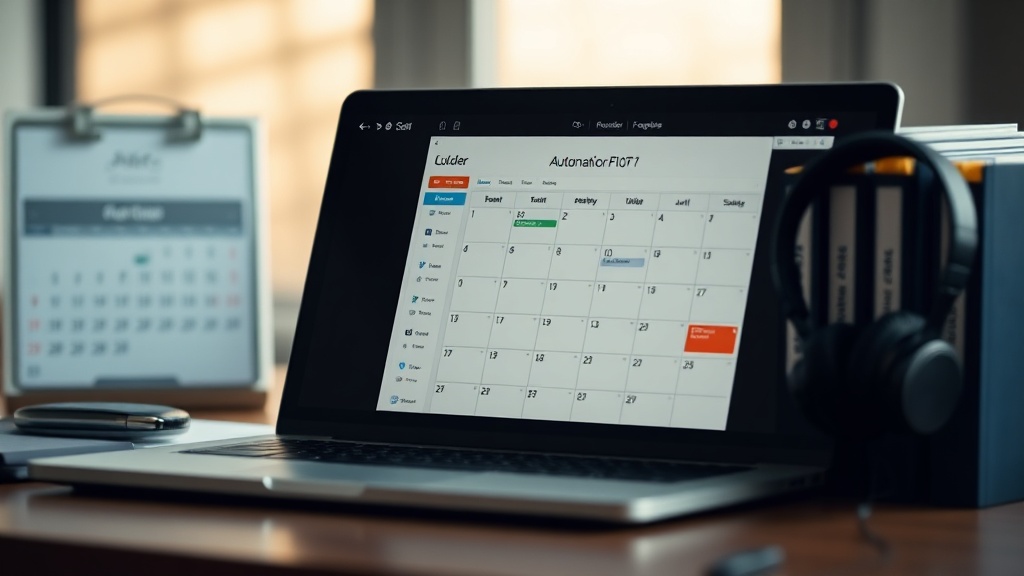
Start with the work that cannot move: delivery, teaching, client calls, family commitments and recovery time. Put those blocks in your calendar first. Then choose two or three communication windows each day, rather than keeping your inbox open from breakfast until bed. For example, you might check messages at 10am and 4pm, with a longer office hour on the day your product opens. The exact times matter less than making them predictable.
- 1Write down every launch task, including answering questions, checking payments, posting reminders and reviewing customer access.
- 2Mark each task as scheduled, live or reactive. Scheduled work can be prepared before launch; live work needs your presence; reactive work should have a defined route and time.
- 3Choose a daily stopping point. If you do not set one, support will expand into every spare gap.
- 4Tell customers when they can expect a reply. This turns a delay into a stated process rather than a worrying silence.
Replace repeated replies with useful touchpoints
Most launch emails do one of three jobs: explain the offer, help someone decide or help a buyer take the next step. Draft these messages before the week begins and schedule them. A simple sequence might include an opening announcement, a message explaining who the product is for, a practical example, a reminder about the closing point and a final message. Each email should have one main action. If the reader needs to buy, link to the product. If they need to start, link to the delivery page or their purchase email.
You can use store.fan’s email marketing tools to prepare and schedule launch messages rather than sending each one manually. Keep the copy close to the questions people are already asking: what they receive, when they receive it, what level of support is included and what happens after purchase. If you sell a download, make the delivery step unmistakable; instant access reduces a whole class of “where is my order?” messages.
| Customer need | Prepared response | Your live involvement |
|---|---|---|
| What is included? | A short contents list and a clear example | Only if the buyer has a specific fit question |
| How do I access it? | A delivery email with one start-here link | Check the payment or access issue during support time |
| Is it right for me? | A who-it-is-for and who-it-is-not-for section | Answer unusual circumstances during office hours |
| Can I get a discount? | State the launch terms once, including any end point | Do not negotiate in individual replies |
Give questions somewhere to go
Office hours are useful because they make access to you visible without making you continuously available. Choose a fixed slot, explain where questions should be posted and say what the session will cover. For a course, that might be a live call for setup and first-week questions. For coaching, it might be a group session that answers common objections before people buy. Store.fan supports products such as webinars and coaching calls, so you can attach a defined format to the support you are offering.
Keep the format narrow. Ask people to send questions before the session, group similar questions together and finish on time. If you record the session, tell attendees whether and when they will receive the recording. Do not promise unlimited access unless that is genuinely part of the offer. A launch-week office hour is a boundary: it is a generous, repeatable moment of help, not an open-ended invitation to message you.
Build a support boundary buyers can understand
Your support note should answer four things: where to ask, what information to include, when you check it and what is outside scope. Put it in the confirmation email, the product page and any launch FAQ. Asking customers to include their purchase email and a description of the problem gives you enough context to act without a long back-and-forth.
Make the buying and delivery path do more work
Every unclear step becomes a message. Before launch, buy your own product using the customer journey and note what happens after payment. Can you find the receipt? Is the next action obvious? Does the delivery email say what to do first? If you sell a course, does the buyer know whether access is immediate or begins on a particular date? If you sell files, are the formats and download instructions easy to find?
A storefront on store.fan gives you one place for the product page, checkout and customer-facing information. The platform takes 0% of sales, while Stripe’s own processing fee still applies, and money goes directly to your Stripe account. On a paid plan, the 14-day trial gives you a short window to test the customer journey before committing. The free plan is link-in-bio only, so selling from a storefront requires a paid plan.
Use the store.fan iOS app if instant sale alerts help you check that orders are arriving without repeatedly refreshing your dashboard. Alerts are useful for awareness, but they are not a reason to start processing every notification immediately. Set a rule: check an alert during your next support window unless it indicates a genuine access or payment problem.
Measure the week without watching it all day
Pick a small set of checks and do them at fixed times. You might review sales, failed payments, unanswered support requests and attendance at your office hour. The point is to spot a problem that needs action, not to turn every number into a live verdict on the launch. If sales are slower than expected, first check the mechanics: does the link work, is the offer clear and can buyers access what they paid for?
Choose a schedule you can keep, such as twice a day, and publish it to customers. Add a separate route for urgent payment or access problems. Checking more often is only useful if you can act on what you find.
Answer briefly if it concerns their personal order, payment or access. If it is a general product question, move the answer to the shared session or FAQ so other buyers can benefit and you do not repeat the work.
Yes. An office hour is one support option, not a requirement. It is most useful when buyers need explanation or reassurance. A well-written product page and clear delivery email may be enough for a smaller, straightforward offer.
Set up a storefront and plan a calmer launch week with store.fan.
Start your trialTurn your knowledge into income
Launch your Store.Fan in minutes — sell digital products, courses, and calls straight from your bio. Free to start.