
Adding your first physical product to a storefront that sells files
Your page already sells downloads. Here is exactly what changes the moment a parcel is involved, and the three decisions to make before the first order arrives.
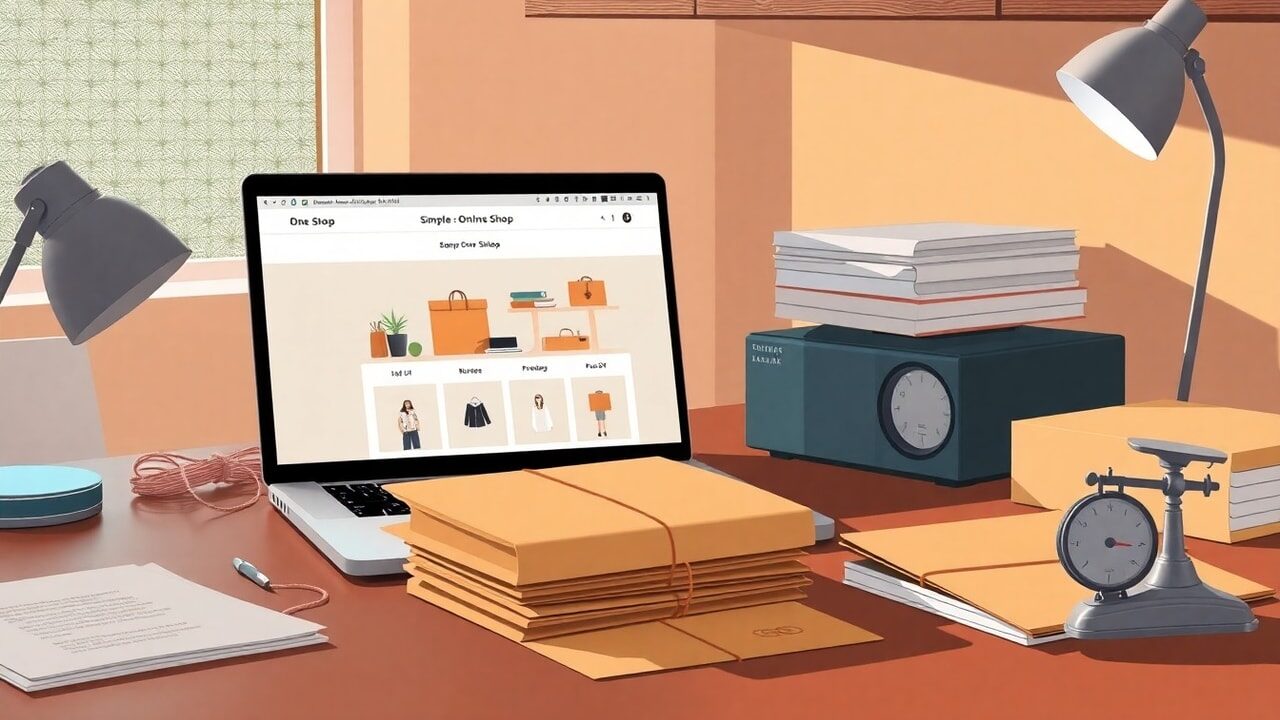
The box arrives on a Tuesday. Two hundred printed copies of the thing you have been selling as a PDF for a year, and they are heavier than you expected, and they are now in your hallway. Selling files taught you a set of habits that all quietly assume the product has no weight, no address and no queue at a post office counter. Most of those habits still work. Three of them break, and it is worth knowing which three before somebody in another country pays you for one of these.
What actually breaks when the product has weight
With a download, the cost of a sale is fixed at zero and the delivery is instant. That single fact underwrites nearly every piece of advice you have absorbed about digital pricing: run the discount, sell to anyone anywhere, sell while you sleep. A parcel undoes all three quietly. The cost of a sale is now the item plus the packaging plus the postage. The delivery takes days. And selling while you sleep means waking up to a queue.
The genuinely hard part is not the packing. It is the address. Addresses are strange, inconsistent, and different in every country, and a form that asks for "address line 1" and a free-text country is how parcels end up in the wrong place. A shipping address needs structure, and structure has to be built country by country, which is exactly the sort of work nobody wants to do for their first ten orders.
The other unfamiliar bit is that the postage cost is highly variable and the price on your page is not. One buyer is in the next town, another is on a different continent, and you have one number on the page to cover both. That is a real constraint rather than a flaw, and it is worth deciding on purpose rather than at midnight after the first international order.
The usual route, and this one
The standard advice for a creator's first physical product is to open a separate shop somewhere, learn a fulfilment vocabulary, and end up maintaining two storefronts with two audiences and two checkouts. That is a large amount of new machinery for something you might sell forty of.
| The usual route to selling a parcel | A physical product on store.fan |
|---|---|
| A second shop on another platform, with its own checkout and its own link | One more product on the page you already send people to |
| Address forms that vary in quality, and free-text fields that produce unpostable addresses | A full address across 250 countries, with official region lists for 33 and district detail for Turkey |
| Postage worked out at checkout by rules you have to configure, or absorbed silently into the price | A flat delivery fee you name yourself, shown before payment |
| A discount code that unintentionally wipes out the postage as well as the margin | The delivery fee survives discount codes, so a promotion cuts the item price only |
| Fees on the sale from the platform, on top of card processing | 0% platform fee on every plan, with Stripe's card fees applying, paid to your own Stripe account |
| Digital and physical buyers end up in two separate customer lists | Every buyer lands in the same self-building customer list, with lifetime value per person |
Setting the first one up
Assume the thing exists and is in your hallway. The setup itself is short; the decisions inside it are the part worth slowing down for.
- 1Weigh a finished, packed unit on a kitchen scale, in its envelope or box, with the padding you will actually use. This number, not the bare item, is what postage is priced on.
- 2Take that weight to your postal service's rates and write down three costs: domestic, near-abroad, and the furthest country you are willing to post to.
- 3Decide your flat delivery fee from those three numbers. Most people land somewhere above the domestic cost and below the worst case, and accept a small loss on the longest journeys.
- 4In your dashboard, create the product as a physical one, set the item price and enter the delivery fee. The buyer sees both before paying.
- 5Add order-form questions if the item has variants: size, colour, or a name for a dedication. Short answer or multiple choice keeps the reply usable.
- 6Publish it next to your digital product rather than on a separate page, and say plainly in the description how long posting takes and who posts it.
- 7Post yourself a test order to your own address, and time how long the whole packing routine takes. That number is your real production cost.
A worked example, illustrative only
Say the printed edition costs you $6 to produce, $1.20 in packaging and roughly $4 to post domestically or $11 to the far side of the world. You price the item at $28 and name a flat delivery fee of $7. Domestic orders leave you slightly ahead on postage; the long-haul ones lose about $4 each, which the item margin covers comfortably. You have chosen a small, predictable loss on distant orders in exchange for one number on the page and no shipping calculator to maintain.
Now add the second effect. The PDF you have been selling for $19 is still there. Some buyers take both, some take the object as a gift and the file for themselves, and the average order rises without a single new product being made. That pairing is the real reason to put a physical item on a digital page, and it is covered in more depth across the rest of the blog.
Put the printed thing and the file on the same page and see which one people reach for.
Start your storefrontThe mistake most people make
The common error is ordering the stock first and thinking about the fee afterwards. By the time two hundred copies are in the hallway, the delivery fee gets set to whatever makes the page look competitive, and the first month of postage runs at a loss you only notice when the receipts pile up. Work the packed weight out before you place the print order, because it changes what you should be ordering. If you already sell physical goods elsewhere, moving the customer list across takes a CSV, and the features overview shows how the ten product types share one page.
No. store.fan never touches the parcel and generates no carrier labels or tracking numbers. You get the buyer's full address and you post it yourself. If you want to send a tracking number, you do it by hand through the inbox.
Yes, and it is one of the better uses of the page. Sell them as two products, or pair them in a bundle so the file arrives instantly and the parcel follows.
Say so plainly in the product description and set a fee that reflects domestic postage. Addresses can be collected from 250 countries, but which orders you accept is your call, and it is better made in writing than in an apology afterwards.
The platform fee is 0% on Free, Starter and Pro. Full analytics start from Starter and discount codes are a Pro feature, so what you gain higher up is measurement and promotion rather than permission to sell.
A physical product will not double your income and it will absolutely cost you Saturday afternoons. What it does is give people something to hold, which is a different kind of relationship to a folder of files, and it lets the buyers you already have spend more without you inventing anything new.
Ten product types on one page, including the ones that arrive in an envelope.
Open a free accountTurn your knowledge into income
Launch your Store.Fan in minutes — sell digital products, courses, and calls straight from your bio. Free to start.


