The real cost of turning a shoot into a photography course
Break down planning, recording, editing and support before pricing a course around one photography skill.
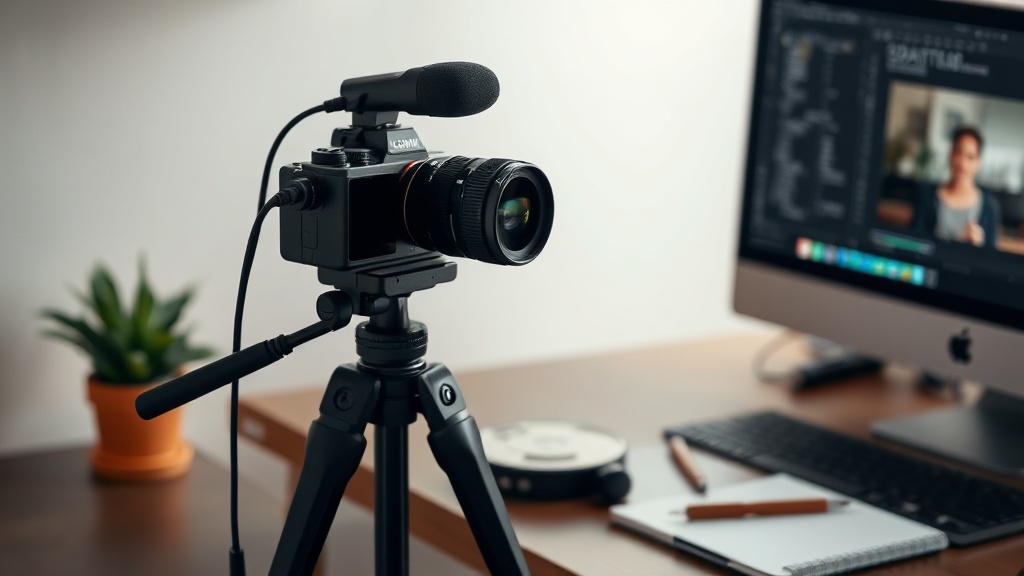
You finish a portrait shoot with a full memory card, a notebook of decisions and a client who keeps asking how you made the light look that way. It is tempting to turn the shoot into a photography course by recording a voiceover and uploading the files. That skips the expensive part: deciding what another photographer needs to see, explaining it clearly, and supporting them when their version of the shoot does not behave like yours.
Start with the decision, not the shoot
A useful photography course does not mainly sell access to your raw files or a long recording. It sells a sequence of decisions. For example: how to place one light in a small room, choose a background, direct a nervous subject and adjust exposure when the window changes. The shoot is evidence for that sequence.
Write the promise as a result with boundaries: “Create a consistent one-light portrait in a small indoor space” is more workable than “Learn portrait photography”. The narrower version tells you what to record, what to leave out and which questions your support should answer. It also gives a buyer a fair way to decide whether the course fits.
- 1Name the situation: the space, subject, equipment or constraint.
- 2List the decisions in the order a learner must make them.
- 3Choose the finished image or practical result that shows the decisions working.
- 4Remove techniques that do not help reach that result.
- 5Write down the mistakes a learner is likely to make and address those in the lessons.
Count the work before you set a price
A 45-minute course can take considerably longer than 45 minutes to deliver. Make a simple time estimate before you film. Include planning the lesson, preparing the location, recording, selecting takes, editing, writing captions or worksheets, uploading, answering questions and fixing delivery problems.
| Work | What to count | Example hours |
|---|---|---|
| Planning | Outline, shot list, teaching notes and preparation | 4 |
| Recording | Set-up, retakes, screen capture and file handling | 5 |
| Editing | Cuts, audio, demonstrations, captions and exports | 10 |
| Packaging | Workbook, lesson descriptions, sales page and upload | 5 |
| Early support | Questions, corrections and delivery checks | 6 |
In this example, the first release takes 30 hours. If you value your working time at £40 an hour, the labour calculation is 30 × £40 = £1,200, before software, equipment, travel, payment processing or tax. That is not automatically the price of the course. It is the amount of work your sales need to recover, alongside the income you want the product to create.
Separate production cost from delivery cost
Production happens before the first buyer arrives. Delivery repeats. A course may need a welcome message, technical troubleshooting, feedback on assignments, refund handling and updates when a camera menu or editing application changes. Treat those as separate lines rather than hiding them inside “marketing”.
You can make the boundary visible in the product itself. Put common mistakes beside the relevant lesson, add a checklist for the shoot and explain which equipment is optional. This reduces repeated explanations because the answer is available at the moment the learner needs it. It also makes the course more useful to people whose room, lens or light differs from yours.
Price around the result and the support level
There is no single correct price for a photography course. A short, tightly scoped lesson with no personal feedback carries a different delivery burden from a course with assignments and weekly critique. Use your cost calculation as the floor, then test whether the promised result is valuable enough to justify the price to the right buyer.
| Offer shape | What the buyer receives | Cost to you |
|---|---|---|
| Self-paced | Lessons, examples, checklist and defined support | Mostly production, plus limited recurring questions |
| Self-paced with review | Lessons plus an image review or recorded feedback | Production plus time per buyer |
| Cohort or workshop | Live teaching, demonstrations and group questions | Repeated delivery at set times, with preparation |
For instance, if the course takes £1,200 of labour to create and you want to recover that through 30 sales, the production share is £40 per sale. That calculation does not tell you to charge £40. It tells you what must be left after processing fees, refunds, discounts, support and other costs. If you sell at a discount, redo the calculation using the actual amount collected.
Build the storefront around the learning
Your checkout and delivery should make the promise easy to understand. On store.fan’s online course feature, you can present the lessons as a structured product rather than sending buyers through a folder of files. Keep the sales page specific: show the starting situation, the finished result, the equipment assumptions and what support is or is not included.
The rest of the storefront can support the course without turning it into a bundle of unrelated products. A free lighting checklist can introduce the topic, a paid course can teach the workflow, and a coaching call can be reserved for buyers who need help applying it. If you use email to explain the problem and the course’s boundaries, store.fan’s email marketing tools can keep that follow-up connected to the same storefront.
Payments still have a cost even when the storefront does not add a sales commission. store.fan takes 0% of sales, while Stripe’s own processing fee still applies, and money goes straight to your Stripe account. Check the transaction maths before you announce a price; the amount that reaches you is the amount collected minus processing, refunds and any discount you offered.
Plan the launch as a testable release
Do not wait until every possible lesson is finished before checking whether the promise makes sense. Share the outline with people who match the intended buyer and ask what they would expect to be able to do afterwards. Their questions reveal missing boundaries. They may also show that the real product is not “a course about flash”, but “a repeatable setup for photographing people in rooms where you cannot move the furniture”.
- Sell the smallest complete version that fulfils the stated result.
- Record one representative lesson early and check whether the angle, audio and demonstrations are understandable.
- Keep a list of support questions during the first release.
- Turn repeated answers into captions, diagrams or a troubleshooting lesson.
- Review the hours spent after launch and use that evidence for the next price or format decision.
Usually not. Record the decisions and transitions a learner needs, then add context where the unedited shoot would be repetitive. Keep enough real footage to show what changed and why.
As many as the promise requires, not a preset number. Divide the workflow where a learner needs to pause, practise or make a different decision. A short course can be substantial if it removes uncertainty.
You can, if the files serve a clear learning purpose and the licence is explicit. Raw files alone do not replace explanation. State what the buyer may inspect, edit, publish or share.
Turn a defined photography workflow into a course buyers can understand and access from your own storefront.
Start with store.fanTurn your knowledge into income
Launch your Store.Fan in minutes — sell digital products, courses, and calls straight from your bio. Free to start.