Create Pinterest pins for the moment someone starts planning
Match each pin to a practical task, such as budgeting, outlining or scheduling, before introducing your product.
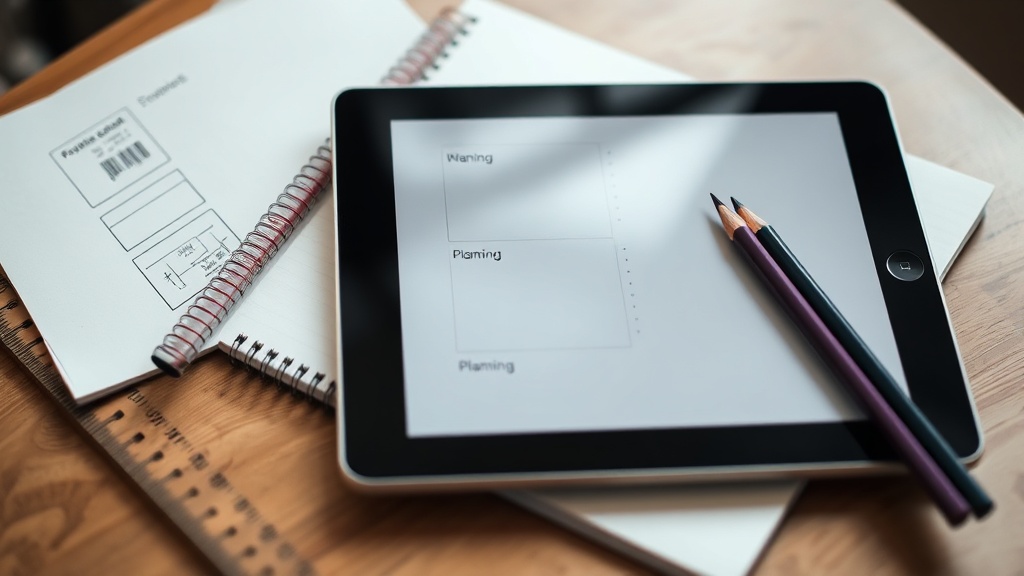
Someone saves your pin while comparing course ideas, pricing a service or trying to fit a new project around work. They are not necessarily ready to buy yet. They are trying to answer a smaller question first: what should I do next? If your Pinterest content helps with that task, your product can appear as the sensible next step rather than an interruption.
Start with the task, not the product
A product-led pin says, “Buy my course.” A planning-led pin says, “Use this three-step check before you choose a course.” The second gives a person a reason to save the image even if they do not know you yet. It also gives you a clear route into your offer: the check may reveal that they need a template, lesson, call or community to complete the next stage.
- 1Write down the decision your buyer is making before they need your product. For a budgeting course, it might be deciding what they can afford. For coaching, it might be working out whether the problem is specific enough to solve in a call.
- 2List the practical actions involved in that decision. These could include adding up costs, outlining a project, blocking time in a calendar or comparing two approaches.
- 3Choose one action for each pin. A single pin about budgeting, outlining and scheduling will usually be harder to scan than three focused pins.
- 4Put the next useful step in the description. If your product helps complete that step, introduce it there without making the pin itself a sales pitch.
Turn common planning moments into pin ideas
Look for the point where your audience pauses. A person planning a digital product may not yet need a launch strategy; they may need to decide what belongs in version one. A person considering coaching may not need a long explanation of your method; they may need a way to define the problem they want to bring to a call.
| Planning task | Pin promise | Natural product bridge |
|---|---|---|
| Budgeting | A simple worksheet for separating essential costs from optional extras | A paid template, guide or course that helps them plan the whole project |
| Outlining | A sequence for turning a broad idea into sections or lessons | An ebook template, hosted course or downloadable planning pack |
| Scheduling | A weekly planning method for fitting the work around existing commitments | A coaching call, membership or community that adds support and accountability |
| Choosing | A comparison checklist for deciding between two possible approaches | A focused product that teaches the approach they choose |
| Checking readiness | Questions to answer before spending money or announcing a launch | A low-friction resource, webinar or email sequence for the next step |
Design the pin around one visible result
Pinterest is easier to use when the promise is visible before someone reads the description. Use a headline that names the task and the outcome: “Plan your first course module in 20 minutes” or “A five-question budget check before you launch.” The time should be included only when you can explain the calculation or steps behind it. Otherwise, describe the finished action instead: “A one-page course outline you can review today.”
- Show the finished artefact: a filled-in budget, a four-part outline, a sample calendar or a comparison grid.
- Keep the instructions in a sequence, such as “list, group, choose”. That gives the reader a repeatable action rather than a general reminder.
- Use the description to add context, examples and the next step. The image should remain understandable when it is viewed without the description.
- Create separate pins for separate audiences when the task changes. A freelancer scheduling client work needs a different prompt from a course creator scheduling lessons.
Connect the task to your offer without forcing the sale
The bridge should answer one question: what becomes easier after someone uses this planning pin? If the pin gives them a rough outline, your course can show how to develop each section. If it helps them choose a budget, your template can make the calculation reusable. If it helps them find a time slot, your coaching call can help them decide what to do in that slot.
Make the route simple. Send the pin to one relevant page rather than a general list of everything you sell. A creator selling a planning workbook can use a storefront on store.fan for digital downloads, while a creator teaching the full process can use its online course tools. The free store.fan plan is link-in-bio only; paid plans start with a 14-day trial, so choose the setup that matches the product you are actually ready to sell.
Build a small Pinterest test you can learn from
You do not need a large catalogue to test this approach. Start with one product and three planning tasks that happen before it. Make one pin for each task, then create a second version only for the clearest weak point: perhaps the wording is vague, the result is hidden or the next step is missing.
- 1Choose three tasks, such as budgeting, outlining and scheduling.
- 2Write one practical promise for each task and name the visible result.
- 3Publish the pins with descriptions that explain the task before mentioning the product.
- 4Record saves, outbound clicks and purchases separately. Saves indicate that the idea is worth returning to; clicks indicate interest in the next step; purchases show whether the offer fits the problem.
- 5After the test, keep the strongest task and make a deeper resource around it. Remove or rewrite pins that attract attention but do not lead to a useful next action.
When a pin gets saves but few clicks, the planning advice may be useful while the bridge is unclear. When it gets clicks but no purchases, check the product page: the buyer may need more detail about the format, result, time required or suitability. A storefront such as store.fan can give you analytics for your products, but analytics cannot explain every reason someone chose not to buy. Use the numbers to find a question, then inspect the pin and page for the answer.
No. The pin should first help with the planning task. Mention your product when it is the logical next step, such as expanding an outline, applying a method or getting feedback.
Use the same structure for coaching, webinars, memberships and communities. Start with the decision before the purchase: define the question for a coaching call, prepare for a webinar or identify the support someone needs from a membership.
Start with three. That is enough to compare different moments without making the test difficult to interpret. Add more only when each task leads to a distinct piece of advice or product.
Set up a storefront for the product your planning pins lead towards.
Start on store.fanTurn your knowledge into income
Launch your Store.Fan in minutes — sell digital products, courses, and calls straight from your bio. Free to start.